Scenario: Saturday, 7 p.m., every table taken, four parties at the door. Instead of a handwritten list and shouting names, let guests scan to queue — they can wander the neighborhood, and their phone tells them when it’s their turn.
Post the queue QR
On the Live floor queue panel press QR (or go to Settings → Marketing links) to open a ready-to-use queue poster:
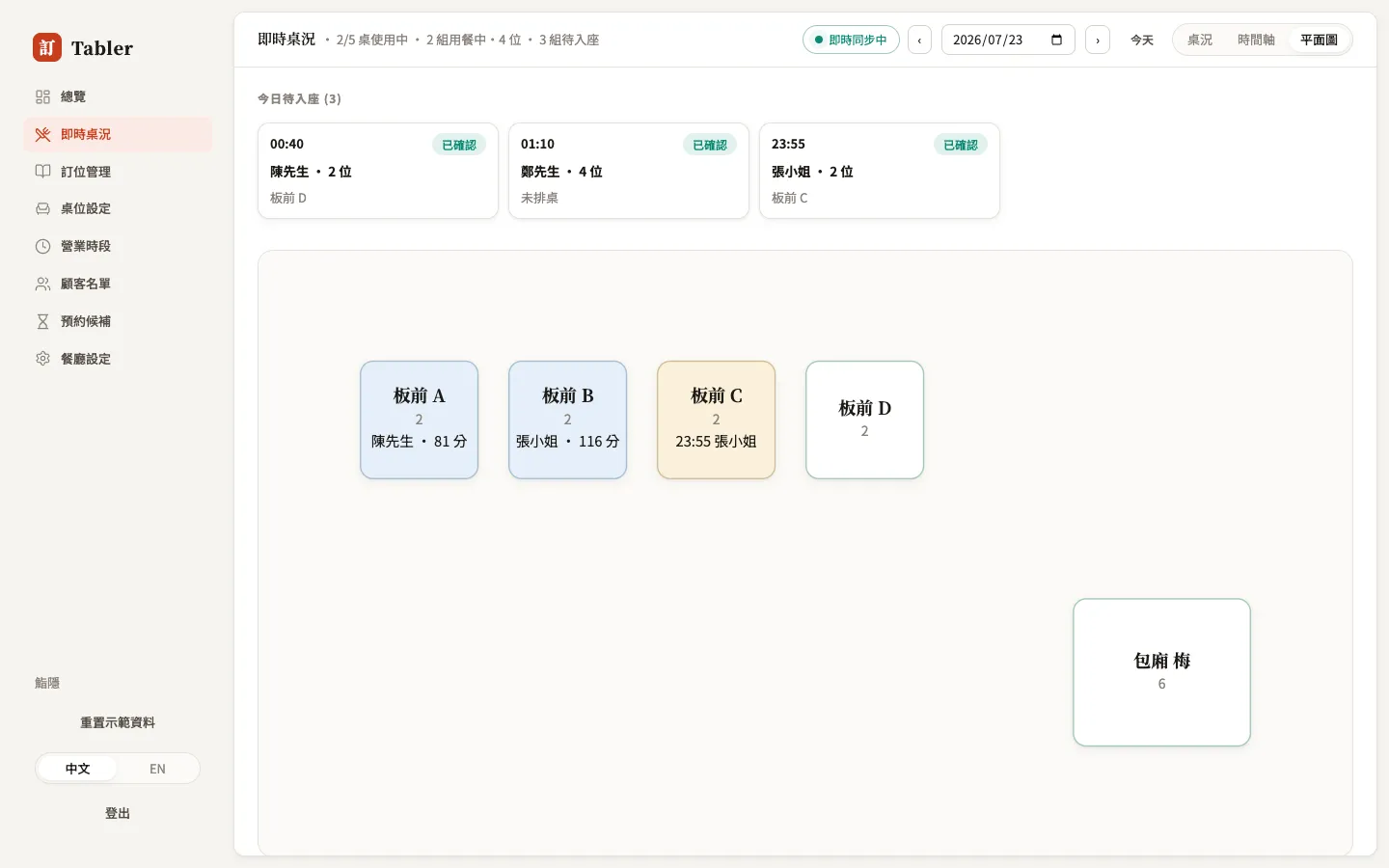
- Print it for the door or counter;
- Download SVG for your designer to work into a menu stand;
- Fullscreen turns a tablet into a queue kiosk at the door.
After a guest scans
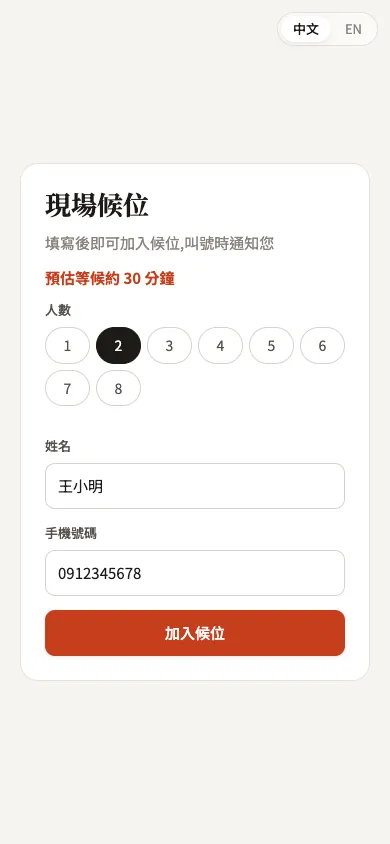
Guests pick a party size and enter a name and phone to join, then get their own live status page showing their place in line and the estimated wait — no need to hover by the door.
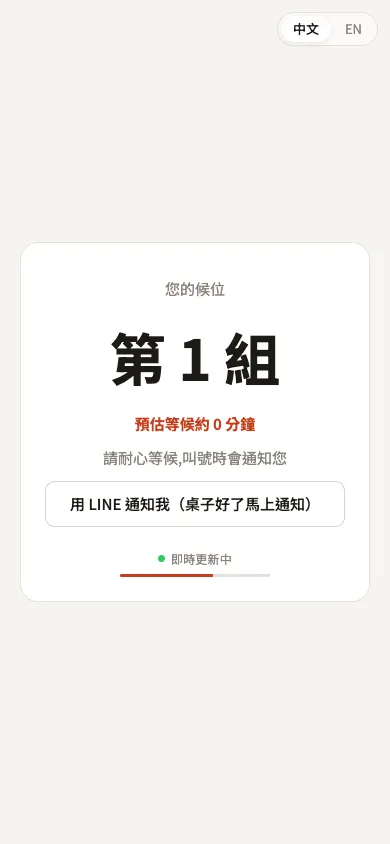
On that page guests can link LINE — table-ready alerts then push straight to LINE, and the next party in line gets an early “you’re up next” heads-up. See LINE notifications.
Running it from the floor
Every waiting party appears in the Floor page’s queue panel: position, minutes waited, estimated wait.
- Notify — the table’s nearly ready; call the guest back (via LINE or the status page, asking them to return to the host stand within 10 minutes).
- Seat — the guest is here; pick a table and seat them. The queue entry becomes a seating record, and the real wait time is logged so estimates keep getting sharper.
- No-show — notified but never returned; remove them and the next party moves up and gets notified automatically.
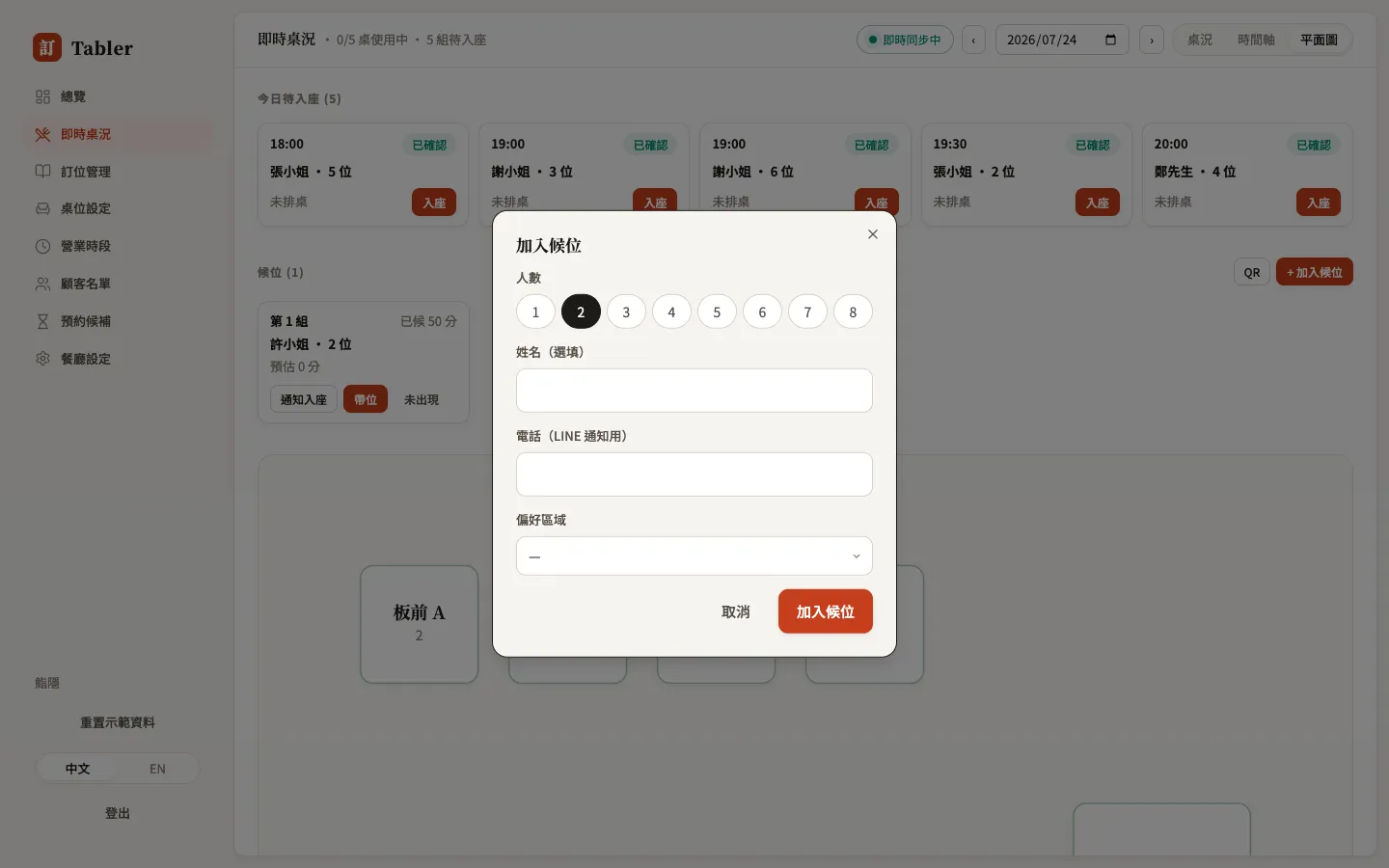
Guest has no phone, or doesn’t want to scan? Press + Add to queue and a staff member fills it in — same single queue:
Estimated wait times
The system estimates waits from your recent real seating pace and shows them on the guest’s status and scan pages. If your restaurant doesn’t limit table time (a cafe, say), the estimate can be off — turn off Show estimated wait to guests under Settings → Booking rules; guests still see their position in line.
Walk-in queue vs. future waitlist
- Walk-in queue (this page): the guest is at the door now, waiting for a table today.
- Future waitlist: a future date is fully booked; the guest leaves their details and waits for an opening.