Settings has three tabs: General, Booking, and Marketing links (for the last one, see Booking link & embed button). After changing any field, remember to press Save at the top right.
General: the restaurant guests see
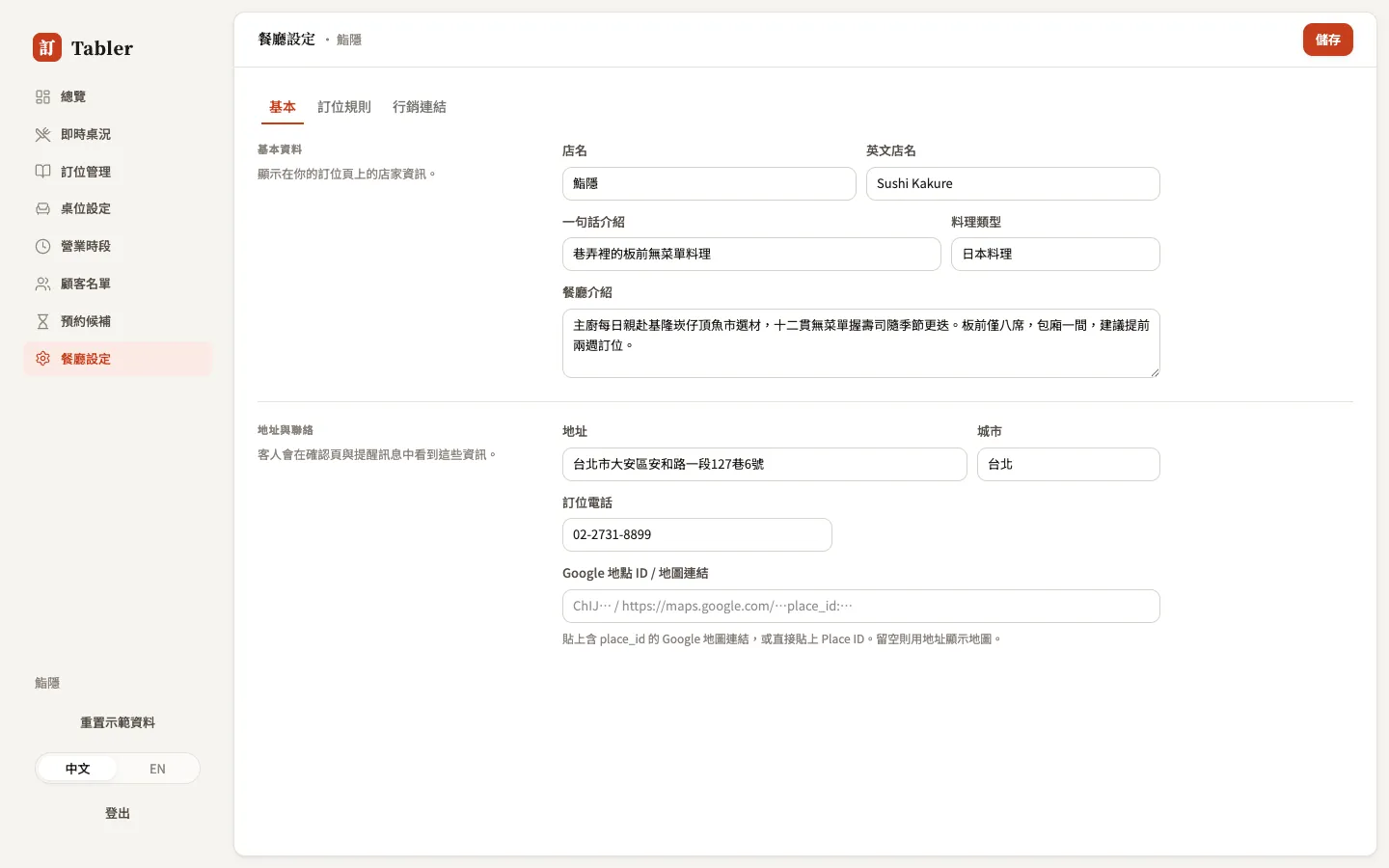
Everything on this tab appears directly on your booking page: the restaurant name (Chinese and English), a one-line tagline, cuisine, description, address, city, and booking phone.
Google Place ID / Maps link — paste a Google Maps share link or a Place ID and the booking page’s map pins your restaurant exactly; leave it blank to map by address search.
Booking rules: the boundaries of online booking
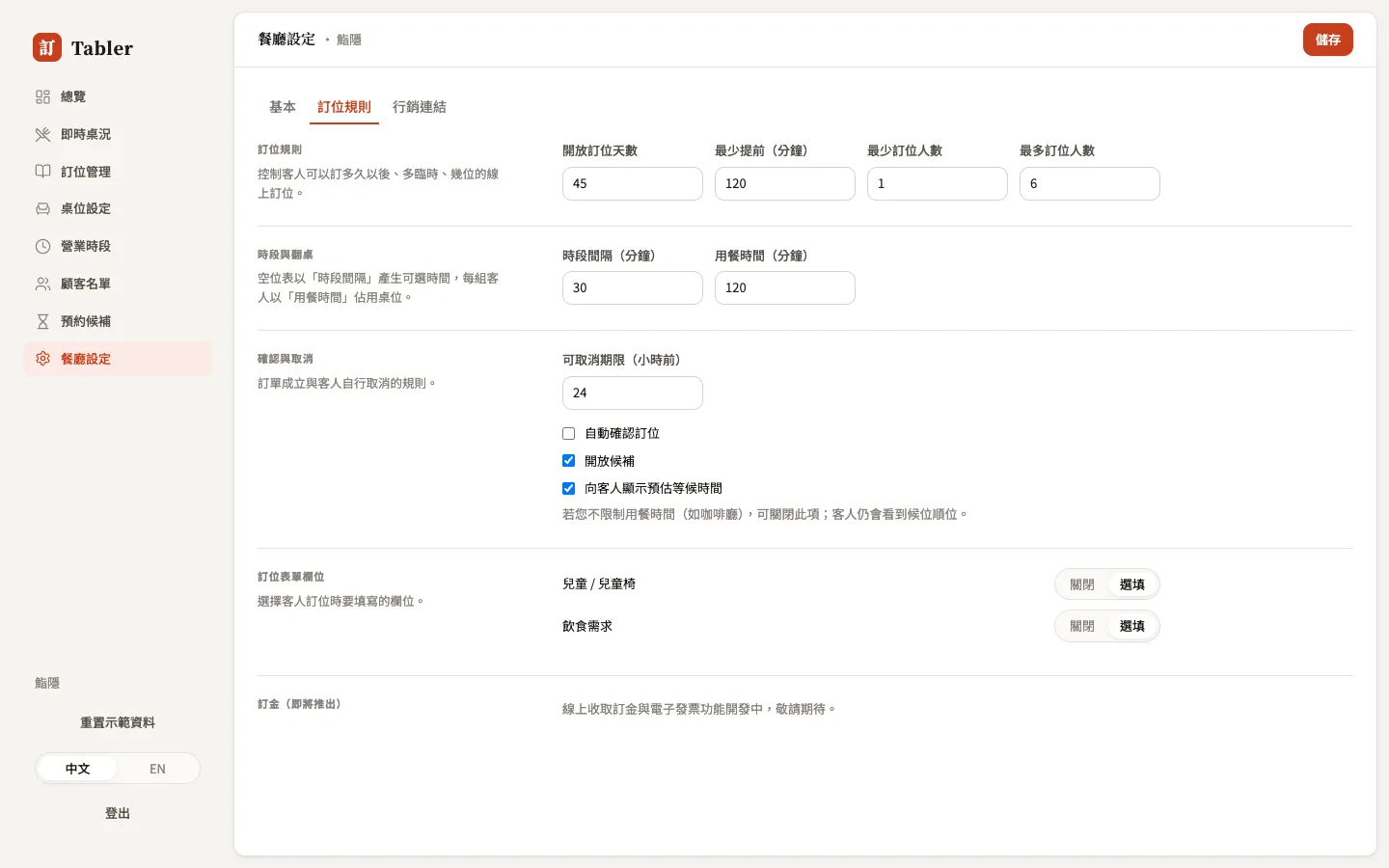
| Setting | Meaning | Example |
|---|---|---|
| Booking window (days) | How far ahead guests can book | 45 days: omakase guests plan ahead |
| Minimum lead (min) | How close to the meal you stop taking bookings | 120 min: gives the kitchen prep time |
| Min / max party size | The party range bookable online | Larger parties get routed to a phone call |
| Slot interval (min) | Density of selectable times | 30 min: 12:00, 12:30… |
| Dining time (min) | How long a party holds its table | Drives turns and the Floor countdown |
| Self-cancel until (hours before) | The cutoff for guests cancelling themselves | 24 hours: after that it’s a phone call |
Two switches that matter:
- Auto-confirm bookings — on: bookings stand the moment guests finish (good for fast-turning rooms); off: review-first — every booking lands in Pending for you to confirm one by one (good for small rooms that must gatekeep).
- Enable waitlist — let fully booked days collect a waitlist.
Booking form fields controls whether step two of the guest’s booking form shows the “Children” and “Dietary needs” fields — each can be Off or Optional.
Deposits (coming soon) — online deposits and Taiwan e-invoicing are in development; until then, for high-risk large parties use the no-show risk flag plus a confirmation call.
Demo data
If your account is a demo restaurant, the sidebar shows an extra Reset demo button that rebuilds 90 days of demo bookings and guests in one press — handy for practicing. Real accounts never see this button, and your real data is untouched.