Scenario: Saturday night sold out ages ago, but guests keep trying to book. Instead of losing them to the place down the street, enable the waitlist: guests leave a date, preferred window, and party size, and the moment someone cancels you have a list to fill the table from.
Prerequisite: tick Enable waitlist under Settings → Booking rules. From then on, when a guest hits a fully booked day on the booking page, they see Join the waitlist.
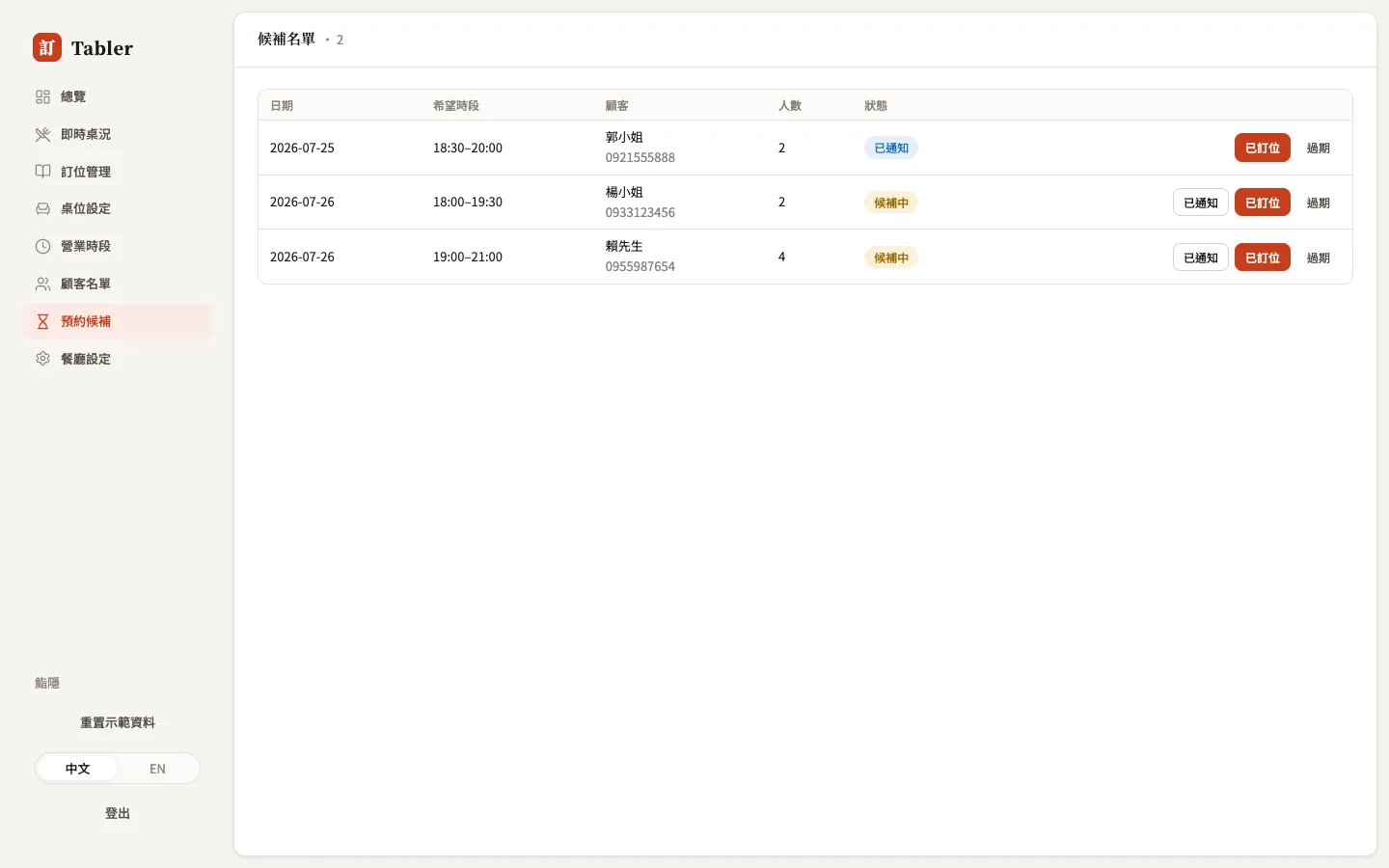
When a table opens
Someone cancels their Saturday booking — open the waitlist (the Waiting number on Overview takes you straight there):
- Find the party whose date, window, and size fit, and call or message them (tap the phone number to dial).
- They want it → press Booked, then go to Reservations and create the real booking with + New booking.
- Contacted but waiting on an answer → press Notified as a marker; no response for too long → press Expired to clear them from the list.
How it differs from the walk-in queue
- Future waitlist (this page): a future day is full; guests leave details and wait for an opening — measured in days.
- Walk-in queue: the guest is at the door right now for a table today — measured in minutes.