Scenario: you close Mondays; other days serve lunch 12:00–14:30 and dinner 18:00–21:30, with dinner’s last seating at 19:00 (an omakase needs the full run). Next month the 6th is a full-day buyout. All of that lives in Hours — the times guests can pick on the booking page follow this screen exactly.
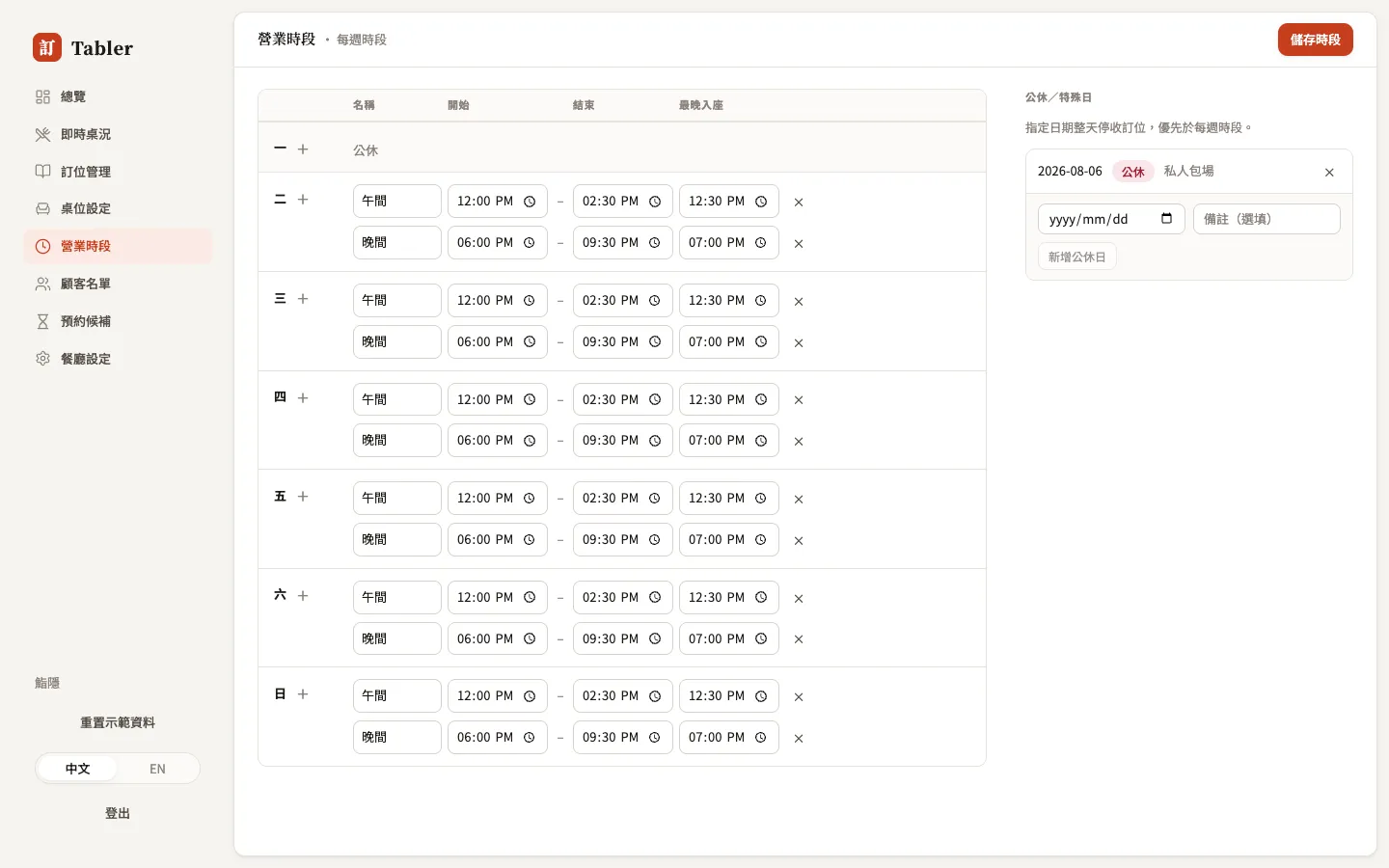
Weekly hours
Each day can hold several periods (lunch, dinner, or one all-day stretch), and each period has:
- Name — the group heading guests see on the booking page (Lunch / Dinner).
- Opens / Closes — the range you take bookings; the system slices it into selectable times (12:00, 12:30…) using the slot interval.
- Last seating (optional) — no booking slots past this time. Closes at 21:30 with last seating 19:00, and the last time a guest can pick is 19:00.
A day with no periods is your fixed weekly closure — that day simply can’t be selected on the guest’s booking page. Remember to press Save hours at the top right after changes.
Closures & special days
Closures & special days on the right handles the exceptions: buyouts, maintenance, typhoon days. Pick the date, add an optional note, press Add closure — that whole day stops taking online bookings, overriding the weekly hours. The guest booking page lists it under “Upcoming closures” (with the note, e.g. “Aug 6 (private event)”), so regulars don’t show up to a locked door.
Existing bookings are not auto-cancelled by a closure — if the day already has bookings, go to Reservations and contact each party to cancel.