Scenario: in the mid-afternoon lull, you want to confirm tonight’s bookings and add the party of four you just promised a regular over the phone. Both live in Reservations.
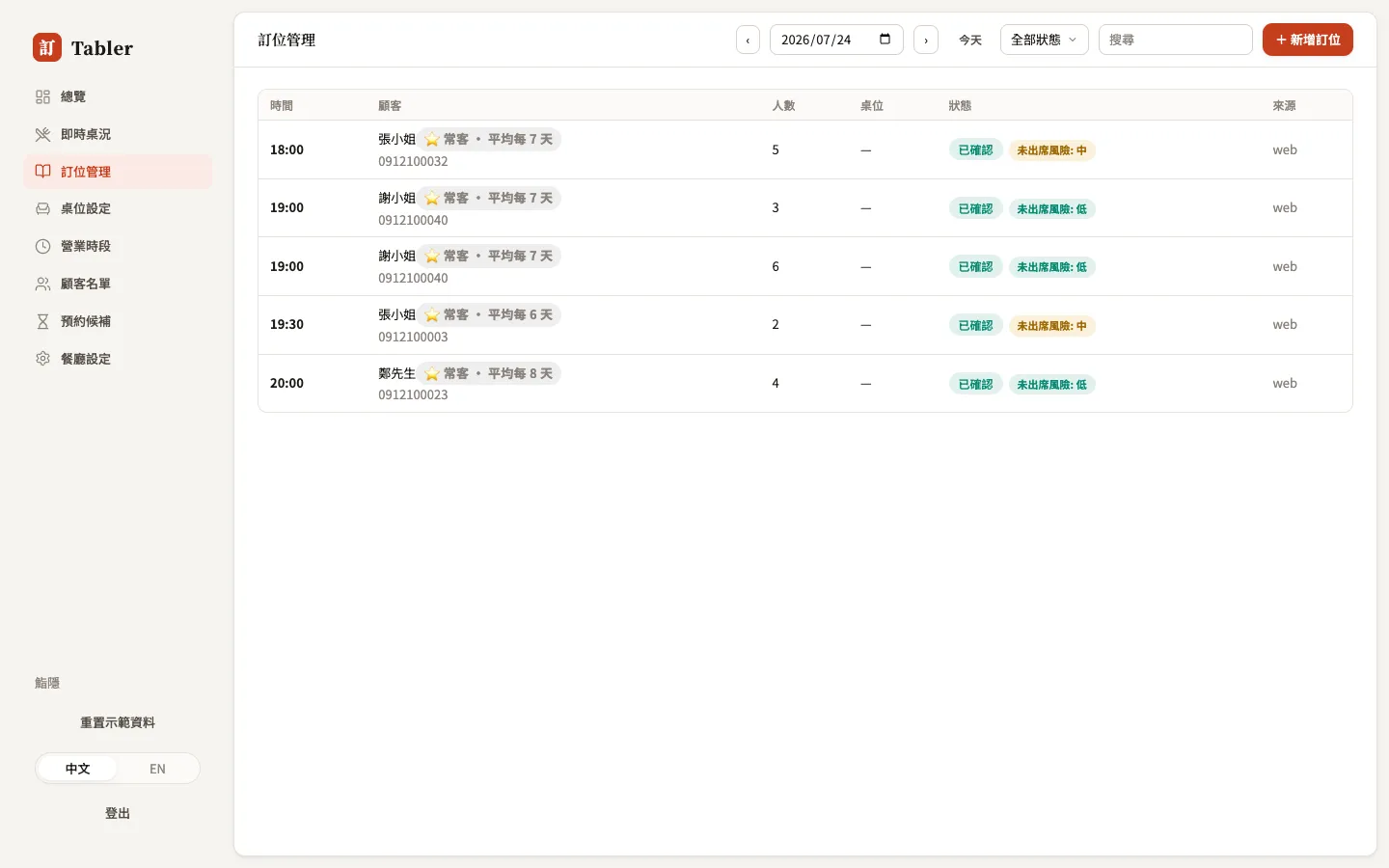
Finding a booking
- Date — defaults to today; arrows page through days, Today jumps back.
- Status filter — show only pending, confirmed, seated…
- Search — type a name, phone number, or reference to find someone across all dates.
How statuses flow
Every booking moves through these statuses, matching the badge colors in the list:
| Status | Meaning | Next step |
|---|---|---|
| Pending | A new booking at a review-first restaurant | Press Confirm (the guest is notified) |
| Confirmed | The booking stands | Press Seat when the guest arrives |
| Seated | Mid-meal | Press Complete when finished |
| Completed | Meal finished | The guest’s visit count accrues automatically |
| No-show | Never arrived, never cancelled | Recorded on the guest’s no-show history |
| Cancelled | Cancelled by guest or restaurant | — |
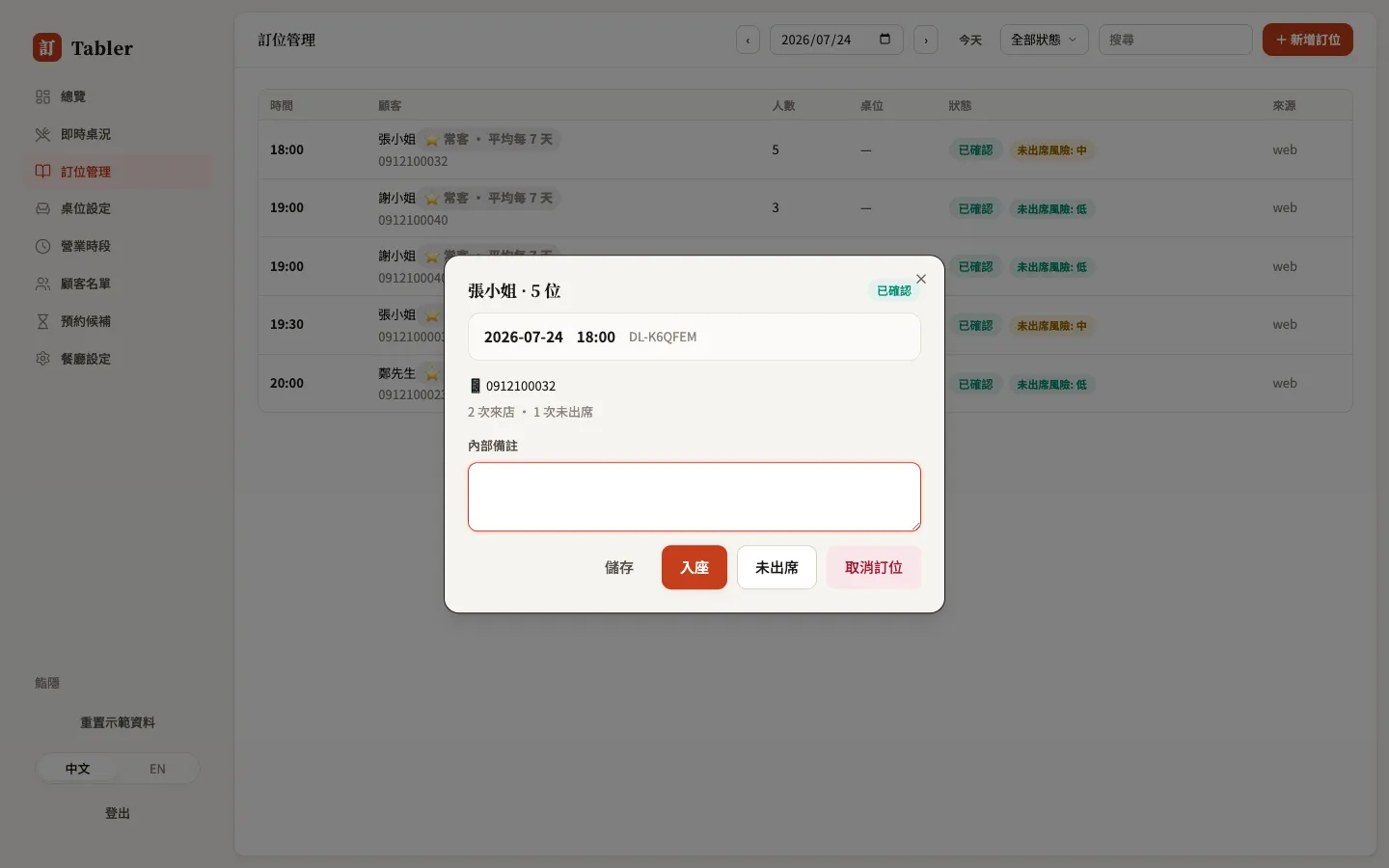
Click any booking to open its details: date and time, reference, phone (tap to dial), visit and no-show counts, the guest’s requests (children, dietary needs, occasion), and Internal notes visible only to staff — “window seat”, “waited long last time, send a small dish” go here.
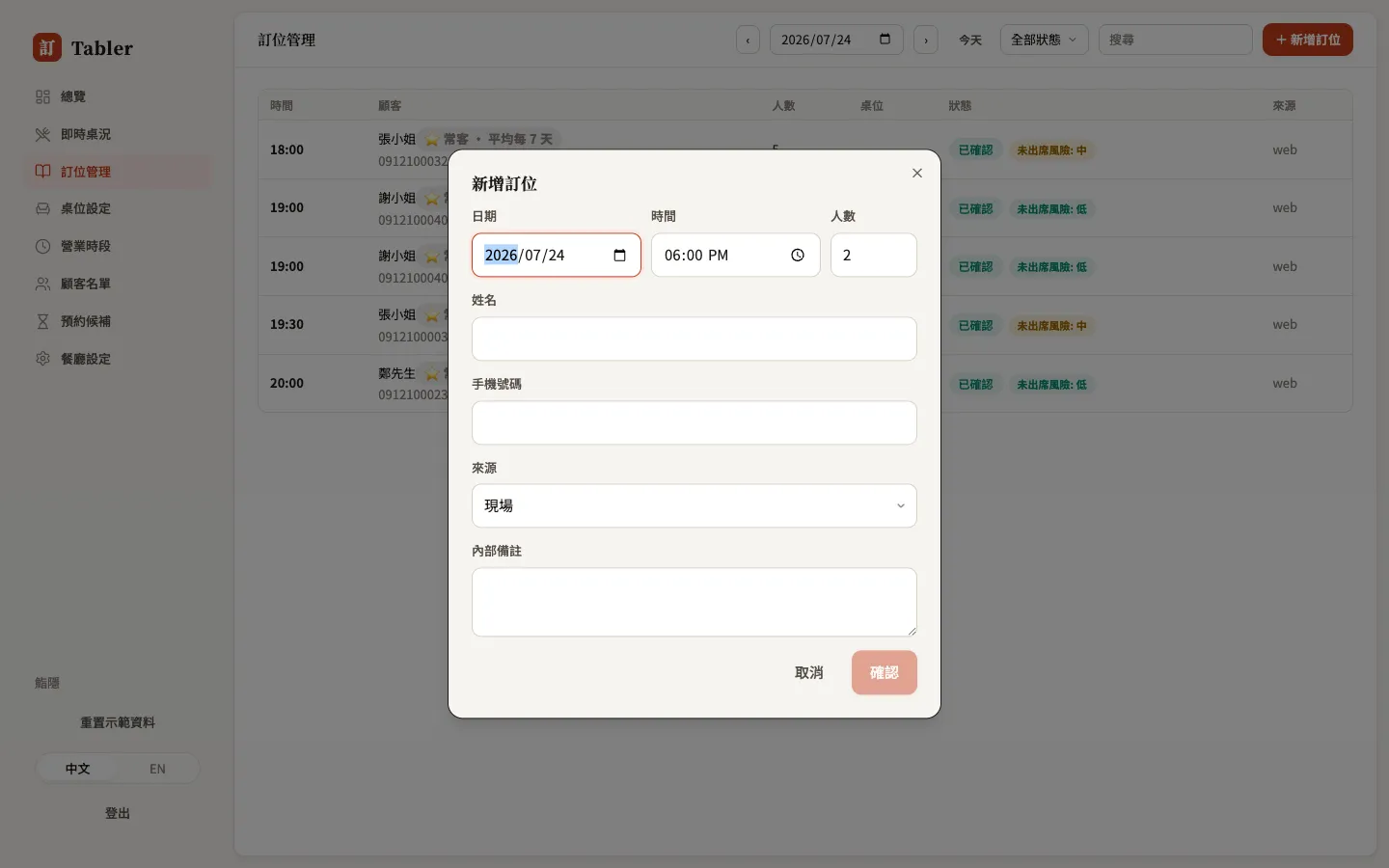
Phone bookings and walk-in registration: New booking
+ New booking at the top right: pick the date, time, and party size, fill in name and phone, and set the source to “📞 Phone” or “Walk-in”. The system auto-assigns a fitting open table; if the day genuinely can’t fit the party it warns “no tables left this day” — the booking is still created and you assign a table by hand.
Reading risk and source
- No-show risk (Pro) — pending and confirmed bookings are flagged low / med / high based on the guest’s history and the booking’s shape (large party, last-minute). A high-risk large table is worth a quick confirmation call before holding it.
- Source — where the booking came from: web (booking page), google, phone, walk-in… paired with your booking links it shows which channel works hardest.
- Guests you’ve blocked show ⛔ next to their name and can no longer book online.